Bluemark for Odoo
File Offload
Files move to external storage, and nobody notices.
File Offload moves files from the local disk to external storage — S3 or SFTP — in batches, on a schedule, and brings them back transparently when someone opens them. Uploads stay fast, because nothing leaves the server while they happen.
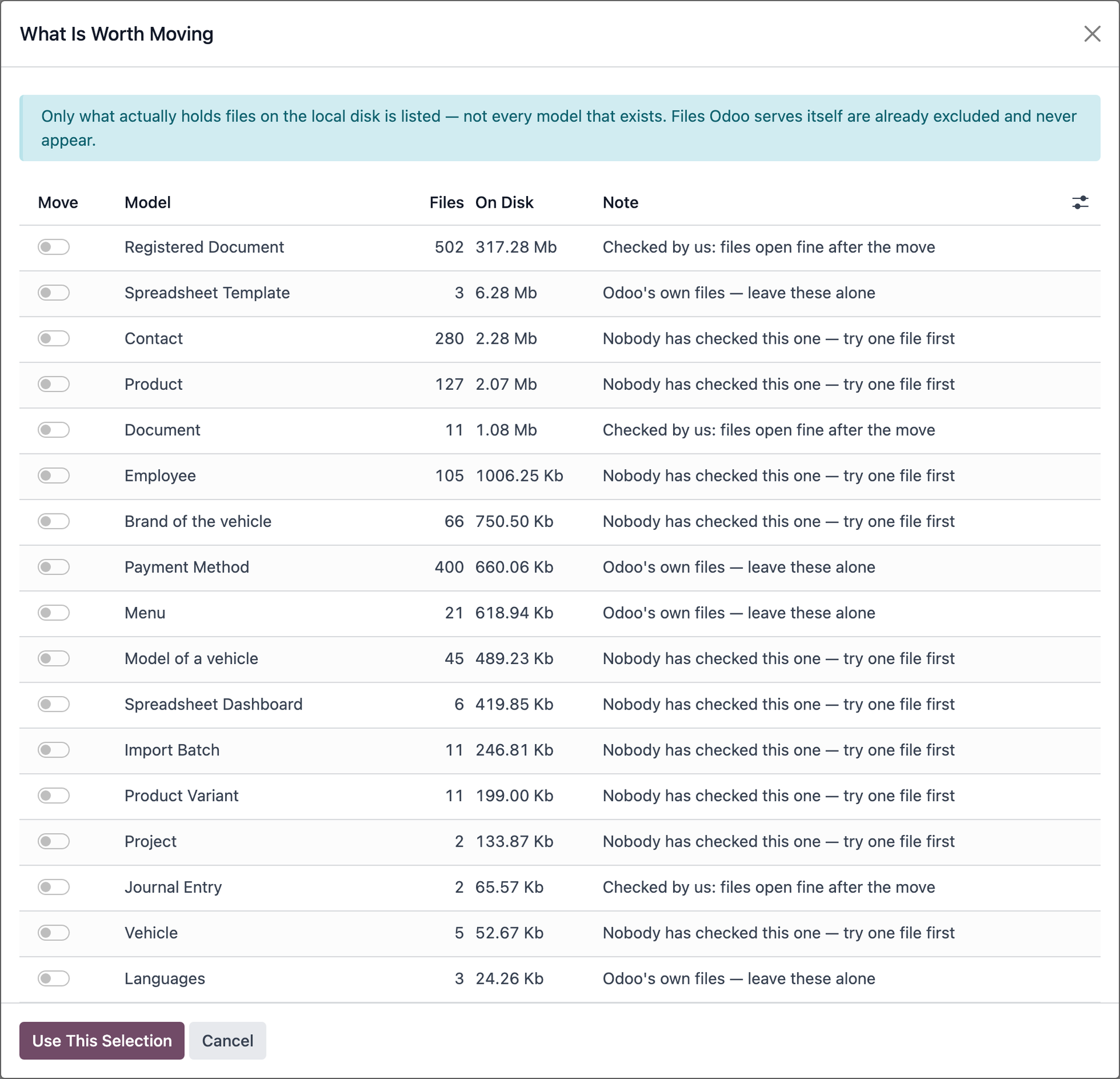
What is worth moving
Before anything is moved, the system shows how much space sits in each model and how much would be freed — so the decision is made on figures, not on impressions.
What you get
Scheduled, batched moves
Nobody waits on the network while uploading a document.
Transparent reads
A moved file opens exactly as before.
Decision rules
What moves, from what age and from what size — configured once.
Storage connectors
S3 and SFTP/FTP, on a shared connector base.
It never deletes anything
Offloading moves files. Deleting is a separate decision, elsewhere.
Works with
Object storage over the S3 protocol, or a plain SFTP/FTP server. The endpoint, the region and the addressing style are already known for each service, so a connector is a form to fill in, not a research project.
Questions it answers
- How much of our space is taken by files nobody opens any more?
- How much disk would we free by moving them to external storage?
- Does anything change for users if we move the files?
- What has been moved so far, when, and exactly where to?
File Offload is implemented by Odoo partners.
Tell us what you need and we will point you to one — or talk to the partner you already work with.